
This guide will help you enable OTP (One-Time Password) login functionality for your mobile app using Shopify's Customer Account API.
Access Shopify Admin
Log in to your Shopify Admin Panel
Find Headless App
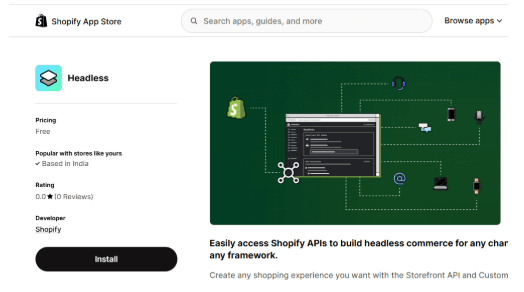
Go to the Sales Channel and search for Headless App
Install Headless App
Click Install to add it to your Shopify Admin panel
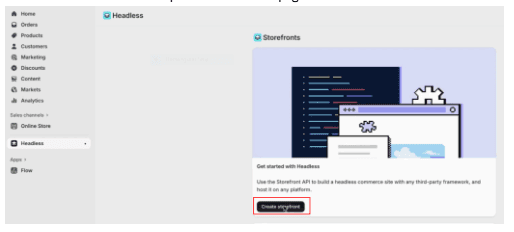
Create Storefront
Click on Create Storefront and proceed to the next page
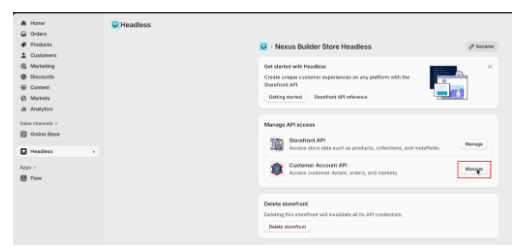
Access Customer Account API
Under Customer Account API, click Manage (located on the right side)
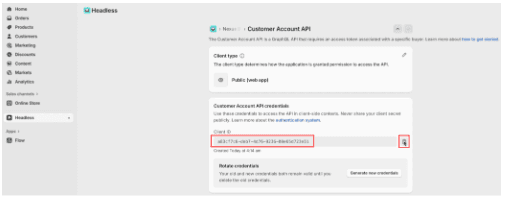
Copy Client ID
On the Customer Account API page, copy the Client ID
Edit Application Setup
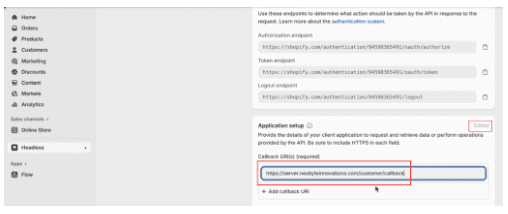
Scroll down to the Application Setup section and click the Edit icon (pencil)
Add Callback URL
In the Callback URL(s) (required) field, enter the following URL:
https://server.nexbyteinnovations.com/customer/callback
Save Changes
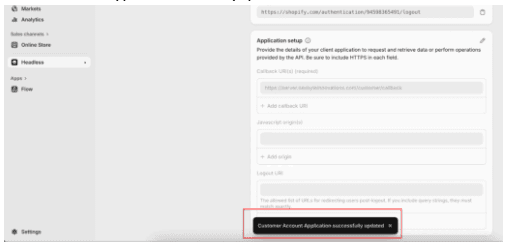
Click Save (top of the page)
A confirmation toast message will appear: "Customer Account Application successfully updated."
Open Nexbyte Panel
Now open the Nexbyte Innovations App Panel
Paste Client ID
Paste the Client ID you copied from the Customer Account API
Save Configuration
Click Save/Enable
The OTP login functionality is now successfully enabled for your mobile app.